Showing posts with label General. Show all posts

Friday, 28 October 2011

Hi Guys!

We've had a few changes this past week, and that means a few changes to the way things are running as far as the lasers are concerned.

We Finally got the new PCs installed, that means several things for you guys!


  • Faster! 
    • Overall things should be smoother now we're running on 4GB of ram and a faster Core 2 Duo processor! Sending files should be a breaze and not take as long to appear in Trotec.
  • Better Looking!
    • Yes they're still HP PCs but at least tehy all look the same and have matching ketyboards and mice ;)
  • USB FUNCTIONALITY!
    • Yes that's right folks, no longer are you bound to using online storage (I still recommend it though!), Anti Virus has been installed and Auto Run has been disabled, so for you guys that means that you have to open 'my computer' or  'file open' in illustrator' to get to your files on USB sticks! :)
  • New version of Trotec Job Control has been installed. Again, this is a 64bit piece of software so will be taking full support of the new PCs. The software is new to me so ultimately we'll provide you new features as find them - initially however, you will notice they have implemented a timer feature - which gives you an estimated time of completion!!

New Filters in the Laser's Extraction units.
  • No more beeping
  • No more toxic fumes!
  • Better surface finish
  • No more toxic fumes!
If yuo notice continued beeping or visiable / smellable fumes contact a memebr of stff immediatly!

This leads me onto another big change - I'm going to get 'stricter' on the types of materials we can cut, in practive I think this will be a list of kknown materials we cannot cut!

So far we Have:
  • Styreen
    • Even though the new filters should get rid of the fumes, we aint gonna be cutting that no more! At all, EVER!
  • Vynal 
    • Any type, any thickness, any anything - no Vynal at all.
  • MDF 
    •  Ok some MDF we will cut, such as anything less than 6mm in thickness, any thicker and we wont be cutting it on the laser cutter. 
  • Will add more as we find them1 :)
A big change is ahead of us as far as booking laser time, the use of technician time, and inductions.

We're to pilot a system where by you can self booking laser cutters without having to email and wait for a reply! 

We have grown out of what (the great) Google Calendars can offer, as there is a general increase in numbers of users from a range of courses and skill bases. 

We have identified an online e booking resource which allows you to book time on any one laser cutter for up to 2.5 hrs at a time. You will have to create an account, which you can log into to access the laser cutters calenders and assuming that you have completed an induction you can get yourself on a laser cutter all by yourself!

New users will still be required to contact me to arrange an induction. If you feel a need to have a technician support you at the beginning of your slot, you can do so by requesting their time, again, using the same online form.

Hopefully the move will be smooth and pain free, but lets assume there will be issues sent to test us from all angles!!

Well, one wall of text later! I think its going to be OK!

ED!

Wednesday, 12 October 2011

CNC Queue

To alleviate some of the confusion of getting on the CNC mill that we encountered last year, a list has been taped onto the side of the machine.

Its really quite simple - get your work ready for milling, add your name to the list and wait your turn!

Simply thinking of using the mill for your project doesn't grant you use of the machine when you want it!!

The process goes something like this:

Get 2D / 2D data ready

Run the job through Rhino CAM

Get the simulation animation checked

Put the posted gcode file onto the PC next to the mill

Source and prep your material

Add your name to the list

Wait your turn!

Don't forget that several courses use the CNC mill to realise their work, so it may take a while for your turn to come around.

Any one job can take a long time to complete, let alone a list full of them! We can only run the machine 8 hours per day, so carefully consider your time and the direction of your project before using the mill.

Thursday, 29 September 2011

Paneling tools


It starts with a surface!


Using the plug in Paneling tools for Rhino 4, it is possible to create repeat patterns over solids, surfaces or 2D planes.


There are several pre defined shapes to sample.


Or it is possible to create your own.


More please!


Rotation-ation!

This outcome had several things that we can begin to use in the digital workshop from now on, Enjoy!

We finally got around to completing the Geometric pattern tutorial that was posted on here aeons ago - which we totaly pwnd and did a much better job at ;)


Following up from the preview of the rotational engraving samples - here be a rundown of the process with added pics for you all to see!


all starts here - select rtation attachment in the printing preferences, this will as for the diameter of the object, and the height of the document.


This is the view from trotec before we're ready to press go.


In trotec we have to define certain perameters for the functioon to work.


Alt + Ctrl + S will open up this dialog box allowing you to select rotation as an assessory


And this one - select no moves which should stop the laser head from colliding with the rotation axis. (Important!)

One thing we discovered was that your stock needs to be bigger than the artwork to allow for the laser to run off each edge without collisions.


The next step would be using different materials, and also marking and cutting which I whink would look great!


Essential IOS apps

Got a shiny iPad for  the start of term? And now you want to justify spending all that student load on the stupid thing! Now you have all the stars on Angry Birds, maybe its time to get somehting of use done on it. Well never fear, I've done alot of the grafting for you and found a few great apps that might make for interesting experimentation with input technologies, and digital machining from lasers, to 3D printers!

Enjoi ;)


This app resembles a scriptographer script 'sketchy structures'. It allows for prety lines to be drawn whislt joining lines are automatically rendered - This gives spiderweb style drawings and the samples people have done looks rather inspired. Made by the same people who brought us sketch chair.


If there was ever an advertisment for mind altering drugs - this would be it! Look no further than Forge of Neon! This thing is super cool and a great way of spending time  - it allows you to change the colours, the patterns, the animations and their speeds...take a screenshot and email yourself a PDF, would make for a super cool engraved image, milled relief or printed tile!


Netfabb Mobile allows you to carry and view .STL files around withyou on iOS devices, it also has a feature to upload to Netfabb Cloud, a service that will analise and fix your 3d model ready for printing. Handy i suppose, but use along side their desktop counterparts.


Adobe Ideas, A neat little sketching tool, free of charge and allows for simple sharing of drawings, no idea how people manage to draw with these things but sample files looks hawt!!I use this app often thanks to its clen user interface, despite me being useless at drawing with it!


I got an email with a DXF attachment, this worked great to see what the client was talking about - not to bad!


For the couple of pounds this app costs it works pretty well, giving anohter function to that door stop you just brought! It makes a neat little second monitor to your primay machine over wifi - which menas you can wander around the house desktop in hand! I use it and the responce is good, it is the only way to get flash running on your iPad device!


iDesign is a mobile vector based drawing app, with those cool little magnifiers when you hold down your finger. This means you are actually able to join two lines together!! Again, the sample images look great so I guess with some patience they to could produce some wonderouse vectors!


Isculpt 3Dlooks pretty freakin awsome! no export yet though, but as its autodesk I imagin development will continue nicely. Will update when they do. Must have app.


Autocad something or other - simple viewer and some editiing toold - dont know caus cad is rubbish!!!


iDough - This was king untill autodesk came and pissed all over it! Shame really - it does still offer exports which is great! and after 3 sessions I had something that resembled a face - so its pretty intuative and again, the samples on the app store looked incrediable so i dont doubt its capabilities. As I said, you can export as an OBJ so 3D printing is definiatly something you can try!


 Harmonius does some pretty neat stuff - drawing with repeat patterns and allows for export as a PDF which means this should be a great toy to play with if you want to engrave some of your outcomes!

Hellow Flower looks good, all be it quite specific as to what it does. If you want to 3D print a flower, then it's the app for you! Either way, its a good way to play with 3D geometry, you can edit several things about the flower - such as amount of petels, their size, spread etc, and once you have done that - you can export them as an OBJ and get some further modelling done in Maya, 3DS Max or Zbrush!
 This is a pants app - wouldnt bother!

Of course, this list isn't the be all and end all of iPAd apps that could be used with digitial machines - as they're being developed alot, and often. If something catches your eye, be sure to ping me with a link!

Untill next time,

Have fun!!


Sunday, 28 August 2011

Shapes on a plane


HAHAAHAA -_-

Wednesday, 24 August 2011

Wednesday, 17 August 2011

Battlestation

Lets use this opportunity to pry into your personal space and let us all see your workstations!


Above is mine - love it - lets see yours!

upload your pics to imgur.com and post in the comments!!

Sunday, 24 July 2011

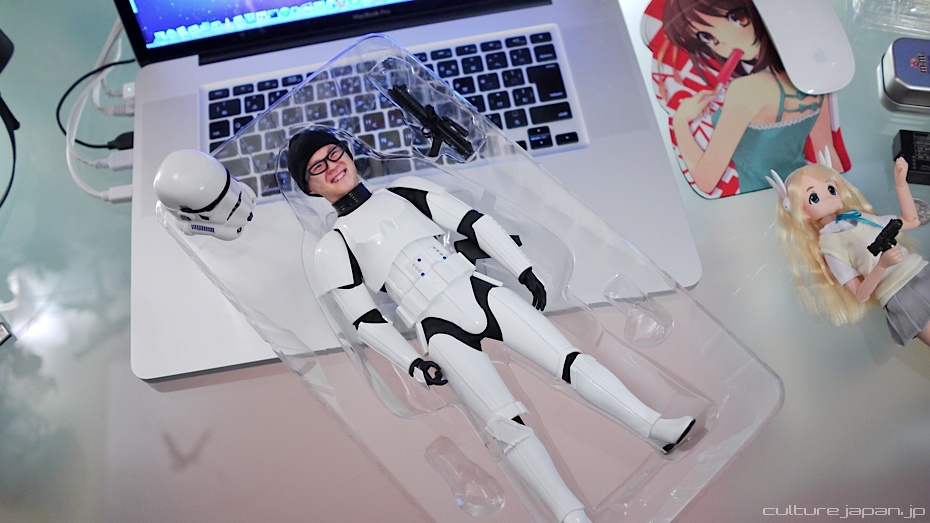
Human cloning in Japan....

I bet this guy is making a killing!


Check out his picture laden post, and don't forget to vote! ;)

http://www.dannychoo.com/post/en/26119/Human+Cloning+in+Japan.html

Tuesday, 12 July 2011

Tesselations

In this post I'll be looking at (again) repeat patterns. For some reason I just cannot get enough of them!


Some shapes made in Illustrator - The top row is of a simple kite shape, duplicated and set up ready for a batch of lasering later today!

the bottom of that picture you can see a 'Sierpinski Triangle', which is one of those shapes I can draw, but not have any clue as to the mathematical algorithms behind it. As Wikipedia puts it, a Sierpinski triangle it a confined recursion of triangles to form a geometric lattice.


Tessellation of a shape - maximising material usage!

Spherical Infinity:


There are quite a few variants on circular fractals, but this is one my puny brain could understand!

A progressional view of the creation of this shape.


Shape generation showed here with the lasered examples.